Guides
Several workplaces, one timesheet
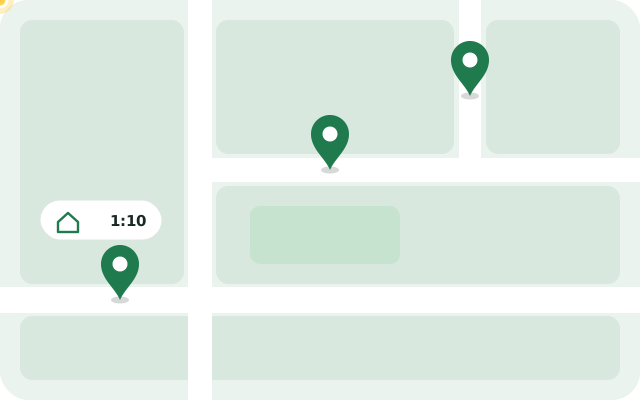
Three clients in the morning, a building site in the afternoon: working at several places makes it easy to lose track of your hours. Mark My Hours records each place separately and sums up the month.
Who it is for
Care work
Home visits to several clients a day. Every visit appears with place, start and end on your proof of hours.
Cleaning and household help
Several households a week, often paid by the hour. At the end of the month every job is listed with place and duration.
Trades and building sites
Workshop in the morning, building site during the day. Set up both as workplaces and the clock starts wherever you are.
How Mark My Hours handles several places
- Every workplace has its own circle and name, for example “Mrs Miller” or “North site”.
- When you arrive at a place, an entry starts there. When you leave, it ends.
- The month shows every entry with its place. The PDF and CSV have a column for the place.
Places without automatic start
Not every place should start the time by itself, your home office for example. Turn off “Track automatically” there: you can still pick the place for your entries, but you start the time yourself. That way coming home doesn’t count as work.
And the travel time in between?
Travel between two jobs often counts as working time; the trip from home to the first job usually does not. The app shows you the gaps in your day. If a trip counts as work, add it with “Add entry”.
Frequent questions
What if two workplaces are close together?
Place the circles so that they do not overlap. Smaller circles give more accurate times; from a radius of about 100 metres your phone recognises a place most reliably.
Can I bill hours per client?
Every entry has its place, in the PDF and in the CSV export. With the CSV you can add up the hours per place in a spreadsheet.
Does it work with shift work?
Yes. An entry may run past midnight, and you set your target hours per week.
Can I add my home office as a workplace?
Yes. Turn off “Track automatically” for that place and start the time there yourself. In the PDF and CSV it appears like any other place.
Every job recorded without typing
Mark My Hours notices when you arrive at work and when you leave, and writes your hours down on its own. At the end of the month you send your proof of hours as a PDF.
Get the app7 days free, then a one-time CHF 6